DISNEY × BYJU'S EARLY LEARN
How do you design learning games for kids who can't read?
The Disney × BYJU'S G123 product worked for grades 1–3. Extending it to Pre-K and Kindergarten meant redesigning for users who couldn't read instructions, couldn't navigate text menus, and needed to learn entirely through voice, character, and play.
EdTech · 10 Mn+ downloads · 300+ games
Role
Lead UX Designer
Timeline
9 Months
Team
60-person cross-functional
Platform
Tablet & Mobile

Numbers on the board
Impact across product, engagement, scale & pipeline
71 min
Avg daily time per student
500k
Downloads in the first month · India launch
1700+
Cities reached · India, USA & Canada
85%
Annual subscription renewal rate
Context
300+ gamified learning experiences across Math and English, designed specifically for pre-readers and early learners (PK/KG)
Disney × BYJU'S launched Early Learn in June 2019, initially for grades 1–3. Following the G123 release, the team set out to extend it to Pre-K and Kindergarten (children aged 3–6) while directly addressing the gaps the earlier product revealed.
SCOPE
Game UX · Design System · Storyboard
MARKETS
India (launched) · USA · Canada (scaled)
CONSTRAINT
Designing for a cognitive stage where reading & sustained attention don't exist.
What We Found
The brief said "adapt." The audit said: this is a complete rethink.
Auditing 150 G123 games with observational research across 40 children revealed structural problems that were not solvable with visual polish alone.
Layout fatigue
Overwhelming screen information and single-styled, monotonous layouts failed to hold the attention of children with shorter spans.
Engagement vs education
Lengthy, over-exaggerated storylines were causing cognitive overload rather than teaching.
Parents couldn't explain what their child had learned
The experience felt like entertainment. Screen-time guilt was driving cancellations — and learning was invisible to the person paying for it.
Curveball
Mid-project, the brief changed twice.
Disney wanted to scale IPs faster
Adding more characters meant IP-specific colour systems would never keep up. The category-based system wasn't the original plan — it became necessary to survive the pipeline at scale.
BYJU'S decided to expand to mobile
The product launched tablet-first. Mid-project, mobile (Android + iOS) was added to scope. Every layout decision had to be revisited for portrait orientation and smaller thumb interaction zones.

HOW MIGHT WE
Design learning experiences for pre-readers where every interaction is felt, not read?
Solution · Learning & Testing
Explore first. Prove it second.
We split games into a Learning Stage (explore) and a Testing Stage (demonstrate) building confidence before assessment.
Option A
Single-mode
· One continuous quiz mode
· Looks efficient on paper
· Kids get assessed before they feel ready
Option B · Chosen
Explore, then assess
· Learning Stage to explore
· Testing Stage to demonstrate
· Confidence before evaluation
Solution · Voice-first storytelling
If they cannot read it, they have to hear and see it
For pre-readers aged 3–5, we shifted to voice-driven character dialogue with visual demonstrations. Instructional text was no longer the path in.
Option A
Only text
· Works for readers
· Blocks pre-literate explorers
· Assumes menu literacy that does not exist yet
Option B · Chosen
Voice + visual demo
· Character dialogue leads
· Visuals demonstrate the action
· On-screen text stays out of the critical path
Character-based intros / outros
Solution · Tap & drag
A 4-year-old's motor precision changes how you use the screen
Two distinct layout systems: selection (tap) and manipulation (drag). One canvas for both was the wrong fit.
Option A
One canvas fits all
· Faster to template once
· Ignores motor differences
· Thumb zones fight the interaction type
Option B · Chosen
Interaction-specific layouts
· Tap: selection real estate
· Drag: source and drop zones
· Screen division matches the action
Solution · Thematic design system
Scale Disney without painting every IP by hand
Once Disney scaled to 35+ IPs from 19, we consolidated the system into 6 thematic categories — making it possible to ship 300+ games.
Option A
19 IP libraries
· Strong character attachment
· IP-specific colour systems
· Cannot keep up when IPs multiply
Option B · Chosen
6 thematic categories
· Shared palettes across 35+ IPs
· Survives pipeline at scale
· Tablet to mobile adaptation
✓
The category system was not the original plan.
It became necessary once Disney accelerated IP scale and BYJU'S added mobile mid-project — every layout had to survive portrait and smaller thumbs.
Solution · Character intros / outros
Short dialogues that guide every step
Learn with short, easy-to-understand dialogues from beloved Disney characters. They guide you through every step — making learning feel like a magical adventure, not a worksheet.

Character-based intros / outros
Solution · Play, learn, shine
The story pulls the child forward. Learning happens inside it.

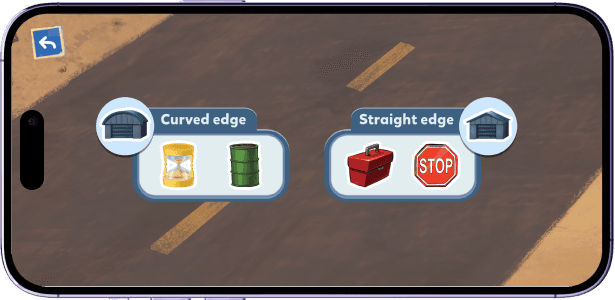
Play, learn, shine
Solution · Hint system
Help that feels like part of the game
Progressive support that does not interrupt the adventure — help that feels like a sidekick, not a pop-up.

Hint system
Reflection
Designing for one age group taught me how differently "accessible" reads across a 3-year range.
I would push harder on accessibility from day one. Early learners aged 3–6 have the widest variance in motor skills, attention, and cognitive development of any age group. The tap and drag interactions worked for most kids in our play tests — but "most kids" is not good enough when you are reaching a million students. I would build accessibility testing into the first sprint.
More projects